Error handling in Next.js App Router
Optimizing Error Handling in Next.js: A Guide to App Router Strategies

Share this article


If you've been working with Next.js 14 and you've spotted the error.js file in your directory, you might be wondering what it's all about. Well, you're in luck! Today, we're going to break down this file and see how it helps us out.
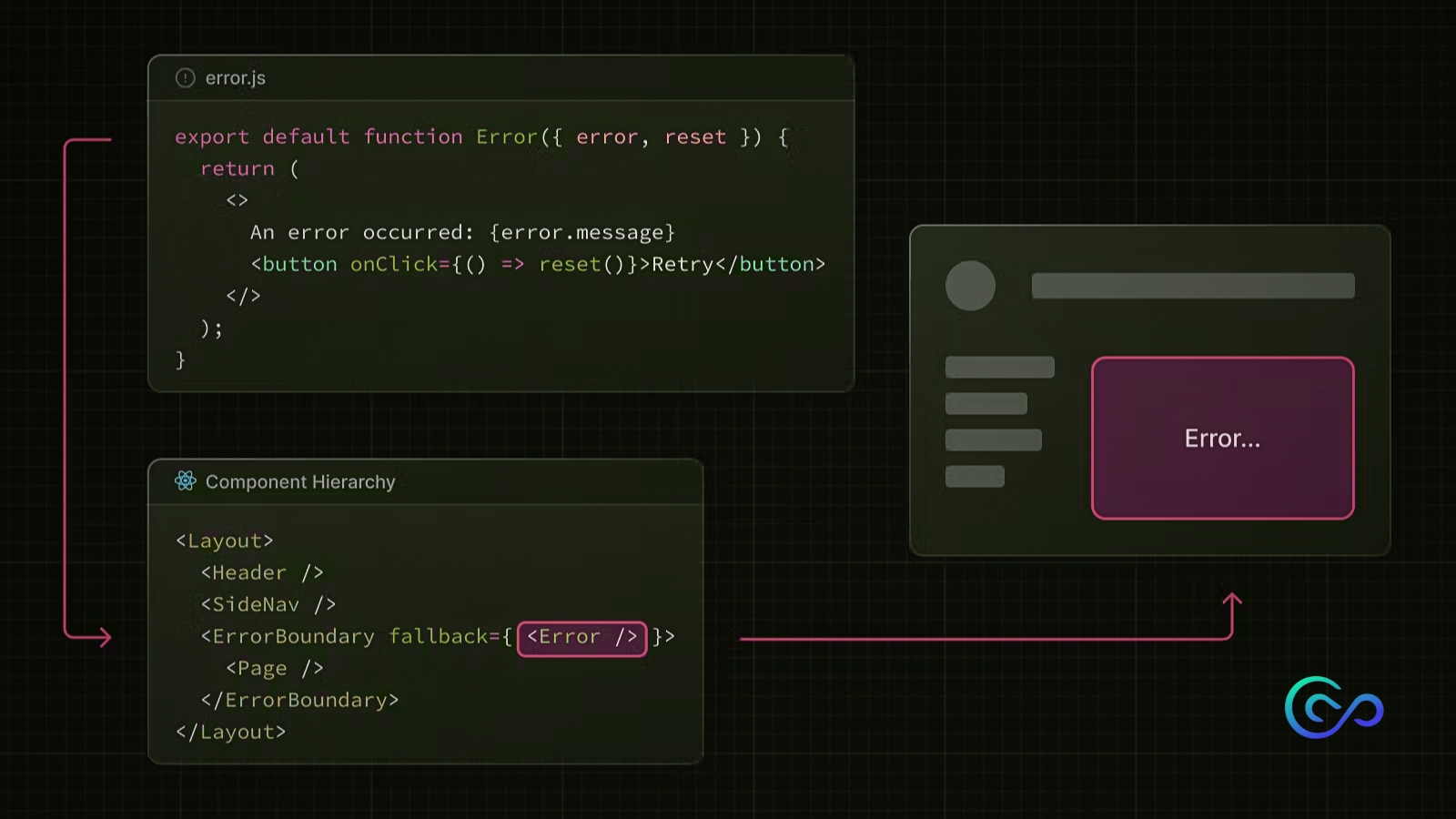
First of all, let's understand how the error file works. The error.js file convention allows you to gracefully handle unexpected runtime errors in nested routes.
Automatically protect each part of your route along with its nested parts using a React Error Boundary.
Design error displays are customized for each section by organizing files in a hierarchy.
Contain errors within specific sections while keeping the rest of your app running smoothly.
Implement features to try fixing errors without reloading the entire page.
One of the most important things is that the error.js file should be a client-side component. There is no option to make it a server-side component, as specified in the Next.js documentation. Let's look at the code of the error.js file:
'use client' // Error components must be Client Components

import { useEffect } from 'react'

export default function Error({
  error,
  reset,
}: {
  error: Error & { digest?: string }
  reset: () => void
}) {
  useEffect(() => {
    // Log the error to an error reporting service
    console.error(error)
  }, [error])

  return (
    <div>
      <h2>Something went wrong!</h2>
      <button
        onClick={
          // Attempt to recover by trying to re-render
          () => reset()
        }
      >
        Try again


  )
}